What does it “see”?
Turn your input into an RGB image. These projects use 3,335 brightness inputs and 811 color inputs with modeled pixel mappings.
A fruit fly’s wiring. Your laptop.
Make it paper-trade Bitcoin, play Doom, or try your own weird experiment.
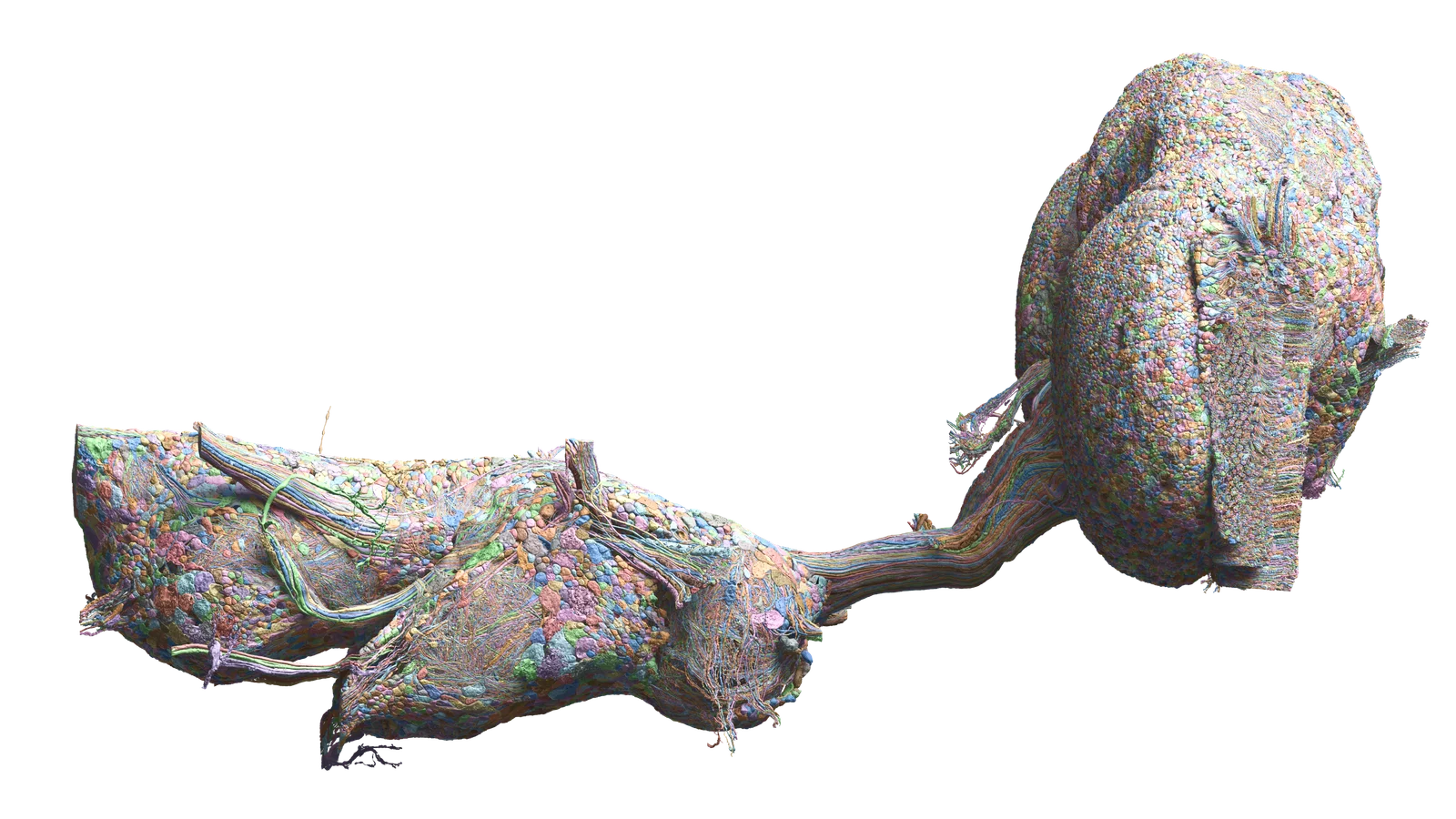
Figures from the Stonkfly implementation, using MaleCNS v1.0.
The MaleCNS project reconstructed the wiring of a male fruit fly’s central nervous system and made the data public. Independent developers have connected a model of that wiring to charts and game frames.
A chart or game frame stimulates modeled sensory neurons.
Approximate neural dynamics run through the connectome.
A programmed readout maps activity to buttons or trades.
Engineered reward signals can adjust selected connections.
The biological wiring is real data. The dynamics, “eyes,” actions and rewards are engineering choices. This is not a mind upload, and changing synapses is not proof that it learned.
Stonkfly uses real public BTC-USDC prices and a fake $100 balance. No Coinbase key needed.
macOS or Linux · Python 3.11 · Git · C++17 compiler · 16 GB RAM recommended
Allow several GB for data and dependencies. Keep 5–10 GB free as a practical buffer. Windows users can try Linux through WSL; that path is not verified here.
git clone https://github.com/nftechie/stonkfly.git
cd stonkfly
python3.11 -m venv .venv
source .venv/bin/activate
python -m pip install -e '.[test]'The first command downloads the data and builds the graph. Let it finish before the simulation starts.
python -m stonkfly prepare
python -m stonkfly runPaper-mode activity using public market data. Logs, sensory images and resumable brain state are saved in runs/paper/. Press Ctrl-C to stop; run the same command to resume.
python -m stonkfly status
python -m pytest -q
Python not found? Install Python 3.11, then reopen your terminal. On macOS, xcode-select --install installs Apple’s command-line compiler tools if missing.
Coming back later? Open the stonkfly folder and run source .venv/bin/activate before the Python commands.
Already have Doomfly’s data? Run python -m stonkfly prepare --reuse-doomfly /path/to/doomfly, replacing the path with your local folder.
Stonkfly supports live orders, but profitable learning has not been demonstrated. Keep your first experiment in paper mode.
If you later choose live trading, use the repo’s current operations guide. It calls for a dedicated portfolio, restricted credentials and explicit opt-in. A drawdown stop does not sell remaining holdings or cap further losses. You can lose the allocated balance. Keep keys out of chats and Git.
Setup reference: Stonkfly README. Commands checked against the repo on 14 September 2026; not a claim that this experiment has been run or validated here.
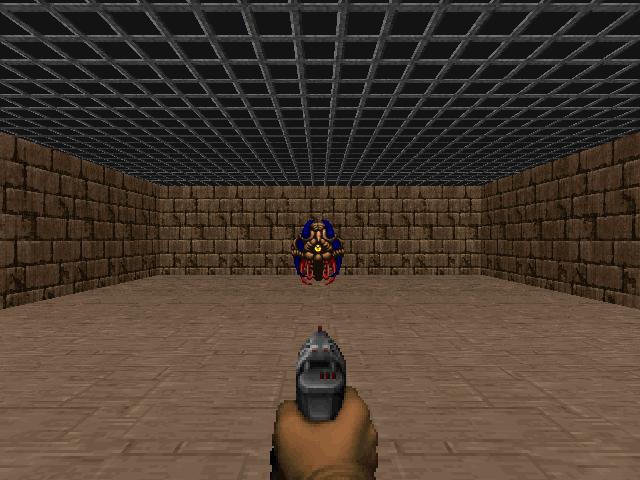
Doomfly feeds game frames into the model and maps neural activity to movement, turning and firing. This takes more setup than paper trading.
The authors report that the current v6 candidate failed its visual, conditioning and survival validation gates. Treat it as an experiment, not a trained game-playing brain.
git clone https://github.com/nftechie/doomfly.git
cd doomfly
python3.11 -m venv .venv-neural
source .venv-neural/bin/activate
python -m pip install --upgrade pip
python -m pip install -r requirements-neural.txt -r doom/requirements.txt \
--build-constraint neural-build-constraints.txtRun this from the doomfly folder. It uses the repository’s dataset registry and verifies each file against its recorded SHA-256 hash.
python - <<'PY'
from pathlib import Path
import hashlib, json, urllib.request

name = 'malecns_v1'
registry = json.loads(Path('doom/datasets.json').read_text())['datasets'][name]
locked = json.loads(Path(f'data-provenance/{name}/source.lock.json').read_text())
root = Path('connectome_data') / name
root.mkdir(parents=True, exist_ok=True)
for filename, url in registry['files'].items():
    target = root / filename
    if not target.exists():
        partial = target.with_suffix('.download')
        urllib.request.urlretrieve(url, partial)
        partial.replace(target)
    with target.open('rb') as stream:
        digest = hashlib.file_digest(stream, 'sha256').hexdigest()
    if digest != locked[filename]['sha256']:
        raise RuntimeError(f'Source checksum mismatch: {filename}')
(root / 'source.lock.json').write_text(json.dumps(locked, indent=2) + '\n')
PYpython -m doom.connectome malecns_v1
python -m doom.prepare
python -m doom.audit_data
python -m doom.build_kernel
python -m doom.server --model experimental-v6 --learning --port 8766 \
--audit-dir outputs/doom/local-training \
--checkpoint-dir outputs/doom/local-training/checkpoints \
--checkpoint-seconds 300 --resumeYou need Node.js 22.13 or newer. Replace /path/to/doomfly below with your actual folder. Create the .dev.vars file as noted, then run the viewer and open the local URL it prints.
cd /path/to/doomfly/doom-ui
npm ci
# Create .dev.vars in this folder with the line below:
# DOOM_STREAM_ORIGIN=http://localhost:8766
npm run dev
Keep both terminals running. The viewer displays the experiment; the Python process runs the brain. Your computer needs to stay awake.
Commands adapted from the Doomfly setup instructions. Follow the upstream README if the project changes.
Fork Stonkfly or Doomfly and change three adapters. This is a coding project, not a prompt that instantly teaches it a new skill.
Turn your input into an RGB image. These projects use 3,335 brightness inputs and 811 color inputs with modeled pixel mappings.
Map a small set of neural readouts to actions: left/right, pick/skip or buy/sell/hold. You define the interface.
Define a measurable score. Stonkfly stimulates PAM11 or PPL101 cells based on portfolio changes. Those signals are engineered, not evidence of feelings.
Experiment ideas, not demonstrated capabilities.
Start with local logs instead of real-world actions. Compare against random choices and a version without weight updates before calling the result “learning.”
Browse cell types, connectivity and eye maps through the official project. Or query the male-cns:v1.0 dataset in neuPrint.
Install neuprint-python, then get a token from your neuPrint account. This example prompts for it privately instead of putting it in your source file.
python -m pip install neuprint-pythonfrom getpass import getpass
from neuprint import Client, fetch_neurons
client = Client(
"https://neuprint.janelia.org",
dataset="male-cns:v1.0",
token=getpass("neuPrint token: "),
)
neurons, syndist = fetch_neurons("DNge104")
print(neurons.head())Enter your email for the full setup, copyable commands and every resource in the library. You’ll also get my weekly email. Unsubscribe anytime.